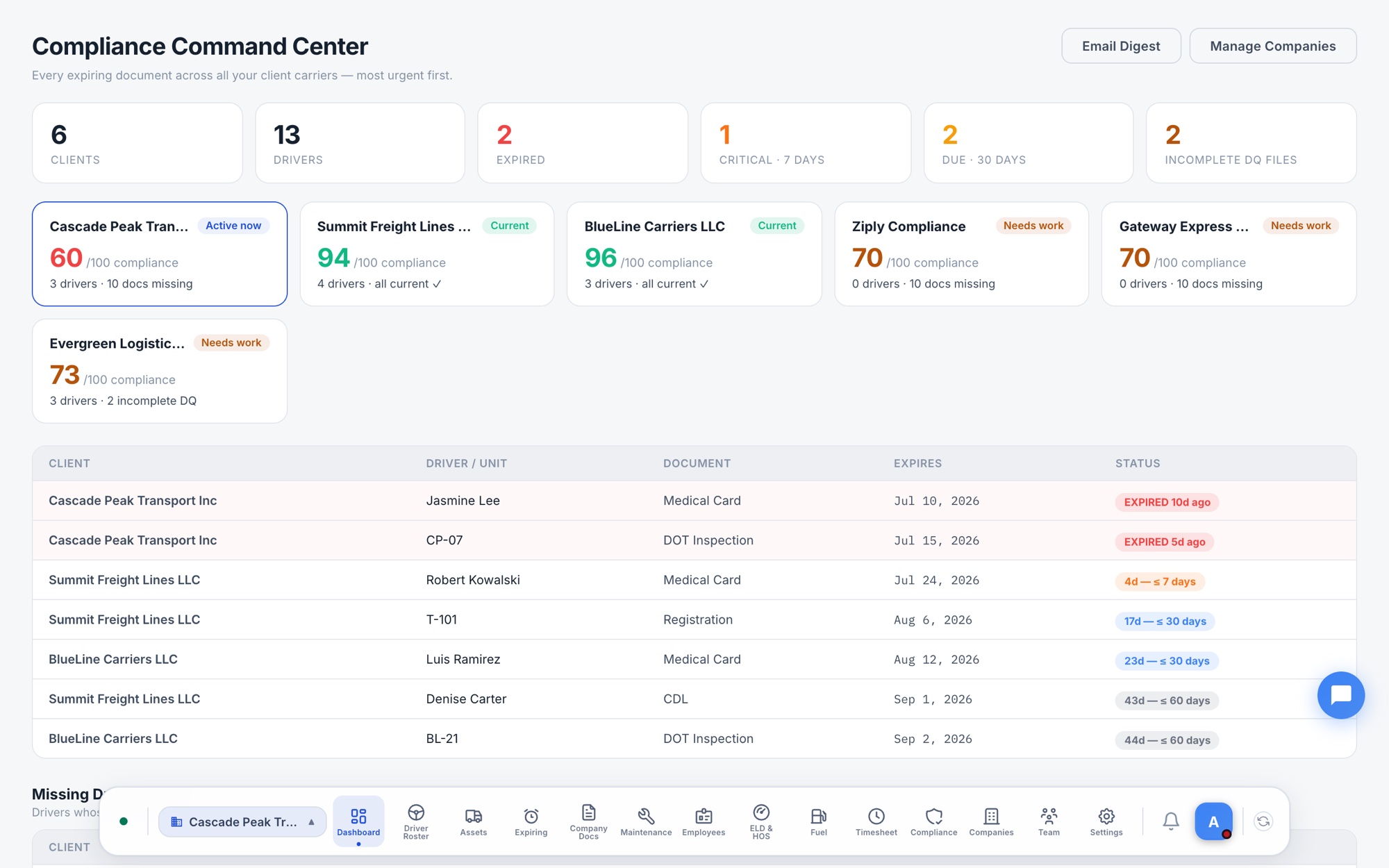
The Compliance Command Center — expired, critical and due-soon documents across all your clients, most urgent first.
Run your entire portfolio of client carriers from a single login — DQ files, expiring documents, employment verifications and FMCSA monitoring, rolled into one triage list sorted by what's most urgent.
The Compliance Command Center — expired, critical and due-soon documents across all your clients, most urgent first.
You don't run one fleet — you run twenty. Ziply treats your portfolio as the product.
Switch between client carriers in one click. The dock chip always shows which company you're working in.
Each carrier's drivers, documents and data are walled off from every other company — clients never see each other.
Add a driver and Ziply creates the full 49 CFR Part 391 document checklist — what's missing is always visible.
CDLs, med cards, registrations, DOT inspections — one list across every client, sorted by days remaining.
A per-client email digest of everything expiring and missing — send it to your client or work it yourself.
CSA safety data pulled per client carrier, so a BASIC score moving the wrong way never arrives by letter.
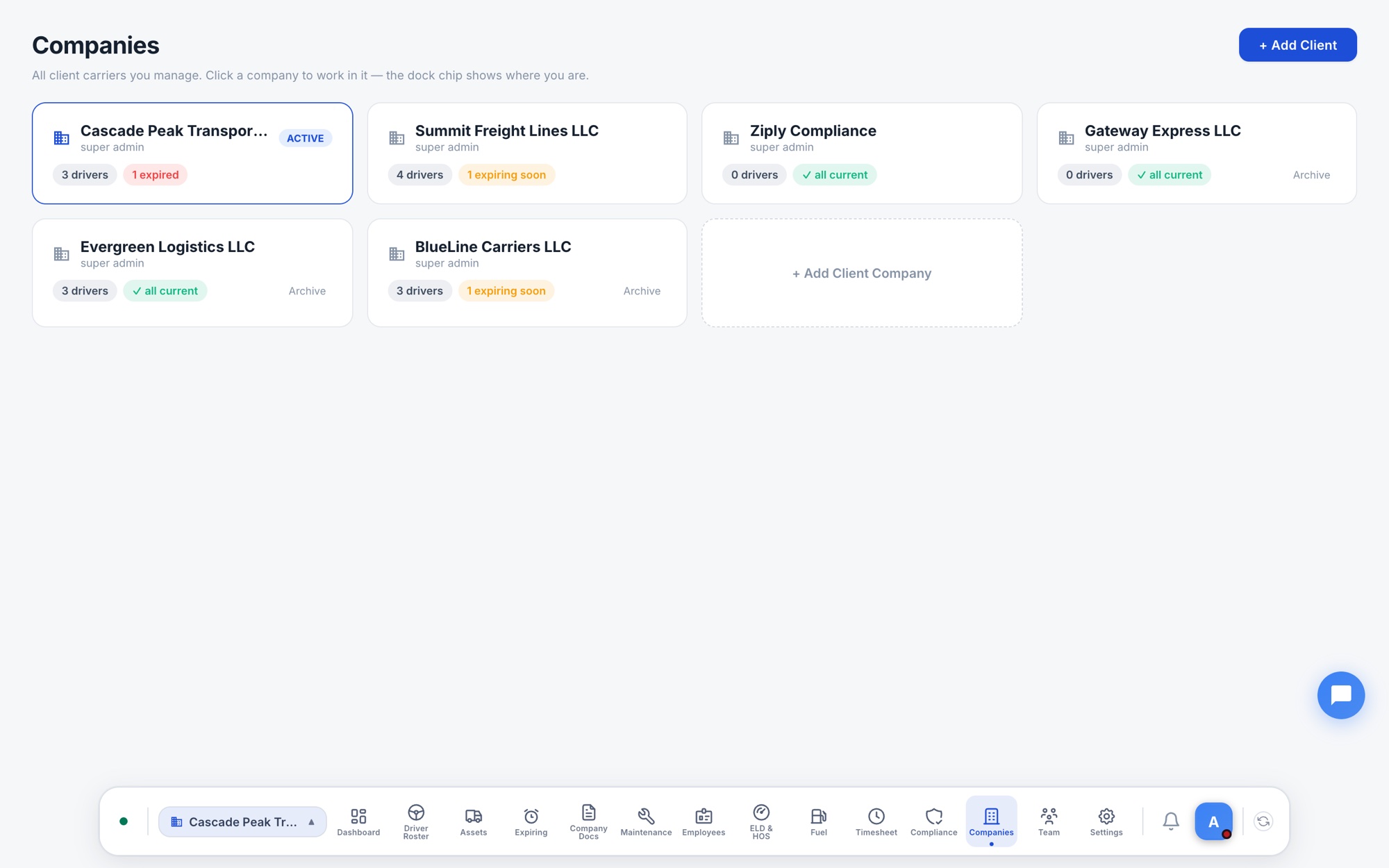
Every client carrier appears as a card with its driver count and document health — all current, expiring soon, or expired. Click a company to work inside it; archive clients you no longer serve.
Employment verifications, road tests, accident registers and drug & alcohol records work the same in every client — learn the workflow once, apply it to your whole book of business.
From signup to a working portfolio in an afternoon.
Your agency account is the hub — it holds no trucks, just your team.
One click per client. Each gets its own isolated company.
Add or import drivers — DQ checklists are created automatically.
The Command Center tells you what's expired, critical and due next.
When the DOT calls, every client's file is complete and current.
Compliance-agency accounts are set up with our team so your portfolio is structured right from day one.
Book a Demo